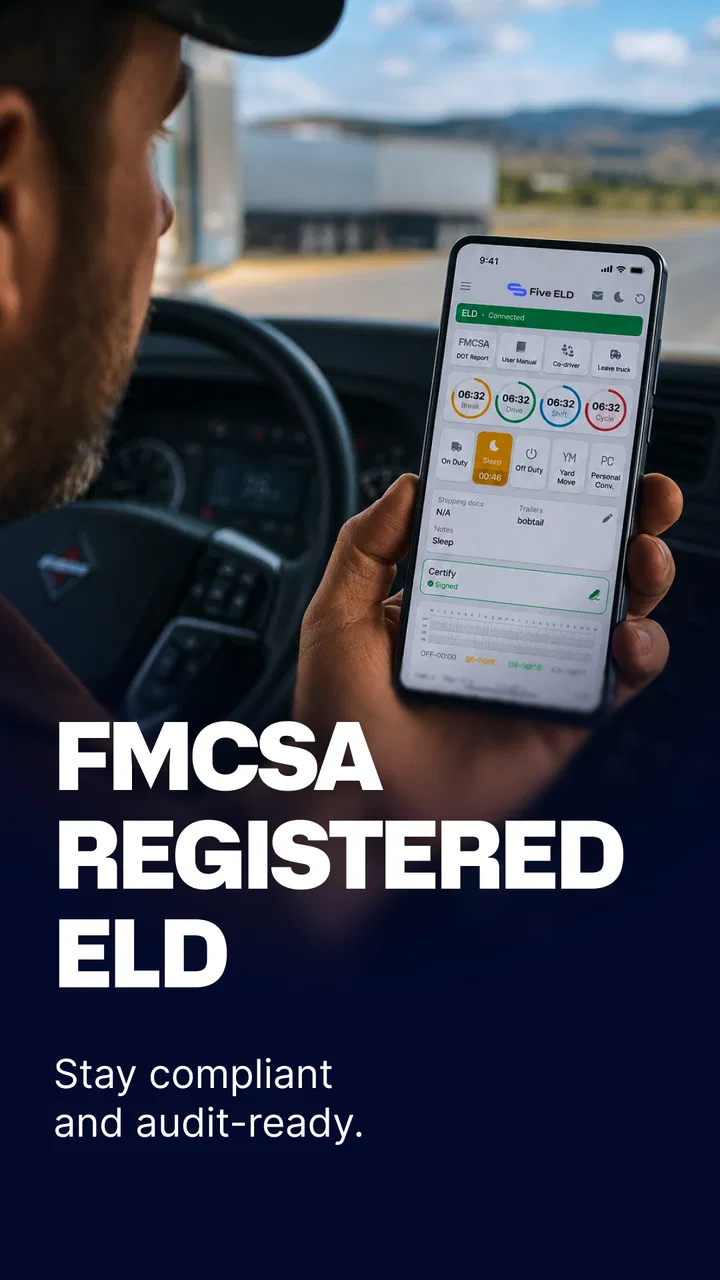
Five ELD Driver
- 4.5
- Rating
- 50.00K
- Installs
- Free
- Price

 Analysis by App-foxy
When I look at a fleet-management app, I care less about a long feature list and more about whether it reduces the small decisions that slow a driver or dispatcher down. ELD APP, developed by TT ELD Inc., is aimed at that exact pressure point: bringing electronic logging and fleet-related work into a mobile workflow instead of leaving everything scattered across paper notes, separate messages, and office spreadsheets. My overall impression is that its value depends on how consistently a fleet uses it, not on simply installing it and expecting the app to organize everything automatically.
This is a free Auto & Vehicles app with an Everyone age rating, so it is accessible to a broad range of users. It has built a respectable audience, with over ten thousand installs and a 4.5 average from around four hundred ratings. The current release is version 4.13.8, and the app first appeared on November 14, 2020. Those details do not replace hands-on testing, but they do suggest that this is an established tool rather than a brand-new experiment.
Why the electronic logging workflow matters
The central capability I focused on is the ELD workflow: recording and managing the information that drivers and fleet operators need to keep organized during a working day. The practical benefit is not just replacing a paper log. It is creating a shared routine in which the driver enters or reviews information while the office can work from the same operational picture.
You May Also Like

 Google Keep - Notes and lists
Google Keep’s Quiet Growth Shows the Appeal of Simpler Notes
As mobile work gets busier, Google Keep keeps winning a simple contest: capture a thought quickly, find it later, and get on with the day.

 Blood Strike: 2.5 Anniversary
Blood Strike’s Loadouts Turn Every Drop Into a Tactical Gamble
A close look at Blood Strike’s custom loadouts: how fast access to signature weapons reshapes its battle royale rhythm, rewards preparation, and narrows the gap between fights.

 Pandora - Music & Podcasts
Pandora’s Music Is Easy to Start, but Harder to Recover
Pandora’s strength is its low-effort path from a seed to a station. Its weak spot is how much confidence it asks you to place in connection, setup, and quiet recovery.

 8 Ball Pool
 Is Built on Rivalries, Rematches, and Routine
A close look at the rivalries, rematches, shared routines, and unanswered safety questions that turn a quick pool match into a persistent mobile community.

 Samsung Music
’s Quiet Strength Is Playing What You Already Own
Its reach comes less from spectacle than from dependable access to a personal library. That simplicity is both the app’s strongest retention engine and its ceiling.

 AccuWeather: Weather Radar
AccuWeather Review: A Quick, Clear Forecast for Everyday Decisions
For everyday plans, the best forecast is the one you can understand quickly. AccuWeather makes rain timing, radar, and local conditions easy to act on, with a few trade-offs.
More From Our News Desk



That distinction matters for small fleets. A paper notebook can be quick when the day is calm, but it becomes awkward when a driver has to reconstruct a sequence of events, answer a dispatcher’s question, or find an earlier entry. A mobile ELD app places the record closer to the person actually doing the driving. I found that this makes the process feel less like an end-of-day paperwork task and more like a series of small checks performed as work happens.
The strongest idea here is continuity. A useful log is not merely an archive. It should help a driver understand what has already been recorded and help a fleet manager avoid relying on memory. That is where a dedicated app can be more useful than a generic notes application. Notes can store text, but they do not provide the same purpose-built context for fleet operations.
There is also a human advantage. When information is captured close to the moment it occurs, fewer details are left to memory. That can make a difference after a long shift, when the driver remembers the major stops but not necessarily the order or timing of every change. I would still treat the app as a tool that supports careful recordkeeping, not as a substitute for the driver’s responsibility to review entries.
What I would prepare before relying on it
The first useful step is to establish a consistent setup routine. I would not hand the phone to a driver five minutes before departure and call the job finished. The driver should know which information belongs in the app, when it should be checked, and who to contact if an entry looks wrong. That preparation is especially important when several people share responsibility for one vehicle or when a dispatcher manages drivers with different levels of technical confidence.
I also recommend deciding on a simple internal rule: review the current record at the beginning and end of a work period, then correct discrepancies as soon as they are noticed. This is not a special feature claim; it is a practical way to get more value from any logging system. The app can centralize the workflow, but the quality of the result still depends on disciplined use.
Another overlooked point is device readiness. A phone used for fleet work should be charged, kept accessible without distracting the driver, and reserved for the tasks the company expects it to handle. If the device is full of unrelated notifications or shared casually between several workers, even a well-designed logging workflow can become confusing. I see ELD APP as most effective when the fleet treats it as part of its operating procedure rather than as an optional extra.
How the workflow feels during a normal day
In a realistic scenario, imagine a small carrier with a few vehicles and one person coordinating routes from the office. A driver starts the day, checks the mobile record, carries out the assigned work, and updates the relevant information as the day progresses. The coordinator does not need to wait for a paper sheet to be photographed or for a tired driver to summarize everything from memory. That shorter distance between the road and the office is the main practical improvement.
The best workflow is deliberately boring. The driver should not need to invent a new method every day. Open the app, review the current state, record what needs recording, and look again before finishing. Repetition makes errors easier to spot. If the fleet changes its process constantly, the app will feel harder than it needs to be because users will be learning the company’s rules and the software at the same time.
For dispatchers, the benefit is less about watching every action and more about reducing follow-up questions. A centralized record gives the office a starting point when a delivery is delayed, a vehicle changes plans, or a driver needs clarification. It does not remove the need to communicate, but it can make those conversations more precise. Instead of asking a broad question such as “What happened earlier?”, the dispatcher can discuss a particular point in the workday.
For drivers, the trade-off is that every digital workflow asks for attention at the right moment. If an entry is postponed until the end of a busy day, the app may feel like extra paperwork rather than a time saver. I would encourage drivers to use natural pauses—before departure, after a stop, or when safely parked—to keep the record current. The key is never to interact with the phone while driving.
One useful habit is to separate operational review from troubleshooting. If something appears inconsistent, the driver should note the issue and resolve it when safely stopped rather than repeatedly tapping through screens during a demanding part of the route. This sounds obvious, but it is exactly the kind of small rule that determines whether a fleet app improves work or adds distraction.
Where it can replace familiar alternatives
The usual alternatives are paper logs, general note-taking apps, spreadsheets, or a larger fleet-management platform. Paper is familiar and works without a learning curve, but it is difficult to share cleanly and easy to misplace. A notes app is flexible, yet that flexibility can become a weakness when every driver records information in a different format. Spreadsheets are useful for office analysis, but they are not naturally comfortable for a driver working from a phone.
ELD APP sits closer to the daily driver workflow than those general tools. Its advantage is specialization: the app is built around electronic logging and fleet use rather than asking a company to design its own system. For a small operation, that can be more practical than adopting a broad platform filled with controls it will never use.
I would not automatically choose it over a full fleet-management system for a large organization with complex dispatching, maintenance, accounting, and reporting needs. A wider platform may offer deeper connections between departments. The more important question is whether a fleet needs a focused logging tool or an entire operational suite. Choosing the smaller tool can be sensible, but only when its scope matches the job.
The best scenario for using it
The clearest fit is a small or growing fleet that wants drivers and office staff to follow one repeatable electronic process. In that setting, the app can act as a common reference point without forcing the business to build a custom workflow from scratch. It is particularly appealing when the current method relies on paper, informal messages, or end-of-day recollection.
Consider a driver who finishes a demanding route and normally sends a series of messages to explain what happened. The office may receive partial details at different times, then spend more time asking questions. With a dedicated ELD workflow, the driver can keep the record closer to the work itself. The office still needs judgment and communication, but it starts from a more organized source.
Another strong scenario is onboarding. A company can teach a new driver one defined process instead of explaining several disconnected tools. That does not make training effortless, and I would still provide written internal instructions, but a focused app gives the training a clear center. The driver learns not only where to enter information, but also when the company expects the record to be checked.
The app may also suit an owner-operator who wants a more structured alternative to paper without committing to an expensive business system. Since it is free, the initial barrier is low. That does not mean the total cost of adoption is zero: time spent training, maintaining devices, and correcting inconsistent use still matters. Even so, the absence of an upfront app price makes it easier to test the workflow with a small operation.
I would be more cautious for a driver who wants a completely hands-off experience. Any electronic logging tool requires attention, review, and accurate input. Someone who dislikes documenting work or expects the app to infer every detail may become frustrated. I would also hesitate if a company already has a mature platform that its dispatch, compliance, and maintenance teams use successfully; changing only the logging component could create another place to check.
Trade-offs that become visible in daily use
The first trade-off is simplicity versus coverage. A focused app can be easier to introduce than a large business platform, but a smaller workflow may not satisfy a company looking for every fleet function in one place. Before adopting it across a business, I would map the current process and identify which tasks the app is expected to handle. If people still need several unrelated systems for the same record, the promised simplicity may disappear.
The second is consistency versus flexibility. Standardized entries help an office compare information, while flexible habits may feel more natural to individual drivers. A fleet should agree on naming, timing, and review responsibilities before deployment. Otherwise, the app becomes a shared container filled with different interpretations, which makes the centralized record less useful.
There is also a dependence on routine and equipment. A phone-based process is convenient, but it requires a suitable device and responsible handling. Battery problems, forgotten access details, or an untrained replacement driver can interrupt the workflow. I would prepare a clear escalation plan for those situations instead of assuming the app alone will solve them.
Another limitation is psychological rather than technical: drivers may see logging as surveillance if management introduces it without explaining the purpose. The best results come when the company presents the app as a way to reduce repeated questions and protect accurate records, not merely as another method of checking up on staff. That communication has a direct effect on whether entries are made carefully.
I also think users should separate the app’s usefulness from its rating. A 4.5 average across around four hundred ratings is encouraging, and the app has more than ten thousand installs, but those figures cannot decide whether it fits a particular fleet. A one-person operation and a complex carrier can have completely different requirements. I would test the workflow with a limited group first, observe where people hesitate, and adjust the company procedure before expanding it.
The free price is another reason to try it, but free should not be confused with effortless. The real evaluation should include training time, the quality of records produced, how quickly office questions are answered, and whether drivers can use the process without unsafe distraction. Those are the measures I would use after the initial installation.
Who gets the most value from ELD APP
I would recommend it most readily to owner-operators, small carriers, and fleet coordinators who need a dedicated electronic logging routine but do not want to begin with an oversized management system. Its strongest role is as a shared operational habit: drivers keep information current, and the office has a clearer basis for follow-up.
It is also a reasonable candidate for a business moving away from paper. The transition still needs planning, but the app gives that change a recognizable destination. Start with one vehicle or one driver, define the daily review points, collect feedback, and only then make the process standard across the fleet. That approach exposes training problems before they affect everyone.
I would suggest skipping it, or at least comparing it carefully with a broader platform, if your company needs extensive functions beyond the logging workflow. A large carrier may value integrated dispatch, maintenance, payroll, analytics, and administrative controls more than a focused mobile tool. Likewise, a driver who rarely needs electronic fleet records may find a dedicated app unnecessary.
For everyone else, the decision comes down to whether the current method is causing avoidable confusion. If paper logs are hard to share, messages are incomplete, or the office repeatedly reconstructs the same events, a specialized ELD app is worth considering. If the existing process is already accurate, quick, and accepted by every user, the benefit of changing may be smaller.
My final view is positive but practical. TT ELD Inc. has made a free app that addresses a real fleet problem: keeping driver and office records connected through a mobile workflow. I like its potential to replace scattered habits with one repeatable process, especially for smaller operations. I would not treat it as a universal answer or install it without training and a clear procedure. Used with those safeguards, it can make everyday fleet administration more orderly and reduce the memory work that usually appears after a long day on the road.
FAQs for Five ELD Driver
01What is the primary function of the ELD APP by TT ELD?
The ELD APP by TT ELD is designed to help commercial drivers and fleet operators comply with the ELD mandate. It automatically records driving hours, ensuring that drivers adhere to regulations. The app aims to simplify log management, reduce paperwork, and enhance overall efficiency within the transportation industry.
02Is the ELD APP by TT ELD compatible with both Android and iOS devices?
Yes, the ELD APP by TT ELD is available for both Android and iOS platforms. Users can download the app from the Google Play Store for Android devices or the Apple App Store for iOS devices, ensuring wide accessibility and convenience for a variety of users.
03How user-friendly is the ELD APP for new users?
The ELD APP by TT ELD is designed with a user-friendly interface to accommodate users who may not be tech-savvy. It features intuitive navigation and straightforward instructions, making it easy to set up and use, even for those who are new to electronic logging devices.
04Does the ELD APP require a constant internet connection to function?
While the ELD APP benefits from an internet connection for cloud syncing and updates, it can operate offline. The app stores data locally during offline periods and syncs it once a connection is reestablished, ensuring continuous compliance and data integrity.
05What customer support options are available for users of the ELD APP?
The ELD APP by TT ELD offers comprehensive customer support, including a dedicated helpline, email support, and an extensive FAQ section on their website. This ensures users can quickly resolve any issues or get answers to questions, enhancing overall user experience.
Pros
- User-friendly interface for easy navigation.
- Comprehensive compliance tracking features.
- Real-time GPS tracking for accurate location.
- Customizable alerts and notifications.
- Supports multiple languages for global use.
Cons
- Occasional sync issues with some devices.
- Limited offline functionality.
- Subscription model can be expensive.
- Initial setup can be time-consuming.
- Customer support response time varies.

Five ELD Driver
Gallery